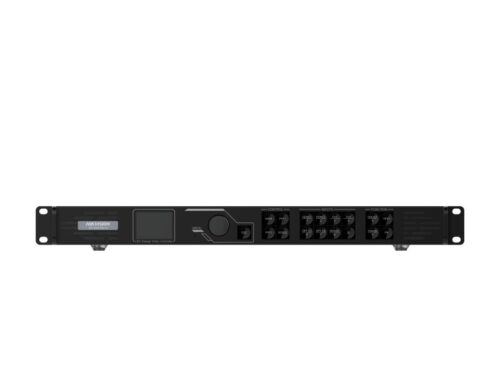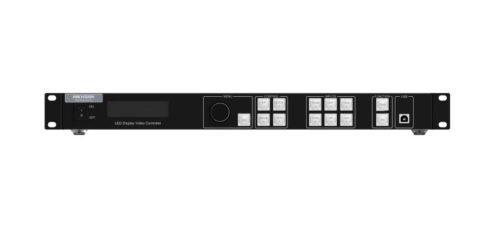
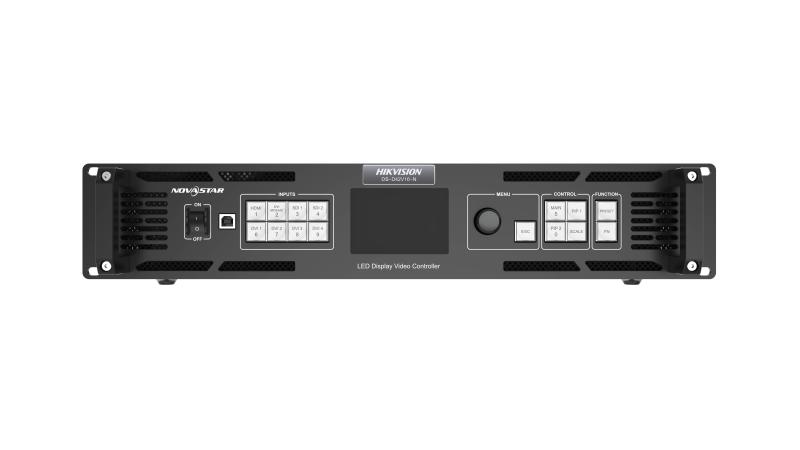
The Hikvision DS-D42V16-N is a 16-channel video decoder. It is designed to decode video streams from IP cameras and NVRs, providing a video output to a monitor or video wall. The decoder supports high-resolution video and is an ideal solution for surveillance and control room applications.

LED Controllers
Hikvision LED Controller DS-D42V16-N
Hikvision DS-D42V16-N 16-channel video decoder. Decodes video streams from IP cameras and NVRs for use in surveillance and control rooms.
Specifications
Brightness Control: 1-100 Levels; Frame Frequency: 25HZ-120HZ; Grey Level: 1024; Display Color: 1 Billion; Processing Depth: 10bit; Image Scaling: Support; Product Model: DS-D42V16-N; Chassis Height: 2.1 U; Chassis Width: Full Width; Product Type: LED Controller; Average Consumption: ≤70W; Number of power interfaces: 1; Power interface specifications: 100~240 VAC, 50/60 Hz; Working Temperature: 0°C ~ 50°C; Storage Humidity: 10% ~ 85%; Working Humidity: 20% ~ 85%; Storage Temperature: -20°C ~ 60°C; Packaging Size (W × H × D): 530.0 mm × 420.0 mm × 193.0 mm; Net Weight: 6.22KG; Gross Weight: 9.78KG; Dimensions (W × H × D): 482.6 mm × 372.5 mm × 94.6 mm; Packing List: 1x EU power cord 1x US power cord 1x UK power cord 1x Cat 5e Ethernet cable 1x USB cable 1x DVI cable 1x HDMI cable 1x Quick Start Guide 1x Certificate of Approval; Audio Input Interface(s): NA; Audio Input Interface Type: NA; Video Input Interface(s): 7; Video Input Interface Type: 1 HDMI2.0+4 DVI+2 3G-SDI; Max. Input Resolution: 4K; Video Input Resolution: HDMI2.0 interface
Maximum supported resolution: 4096*2160@60Hz
Minimum supported resolution: 320*180@60Hz
Customizable resolution, total resolution not more than 8.85 Million@60
Limit width: 320~8192 Alignment: 4 alignment
Limit height: 180~8192 Alignment: 1 alignment
Support HDCP1.4
Does not support interlaced signal input
2 SDI
Max. input resolution: Up to 1920×1080@60Hz
Support for interlaced signal input and deinterlacing processing
Does not support input resolution settings
4 DVI
Single link DVI connector, with max. input resolution up to 1920×1200@60Hz
Four DVI inputs can form an independent input source, which is DVI Mosaic
Support for custom resolutions
− Max. width: 3840 pixels
− Max. height: 3840 pixels
HDCP 1.4 compliantS
Does not support interlaced signal input; Video Input Processing Characteristics: Processing depth 8/10/12bit
Sampling format:
RGB:444
YUV:444
YUV:422; Max. Output Resolution: 10.4 Million; Loading Capacity for Video Output to LED: Single port with load 650000
Width 1~16384
Height 1~8192; LED Loading Interfaces: 16; LED Loading Interface Type: RJ45; Number of video ring pass output interfaces: NA; Video looping output interface type: NA; Video looping output resolution: NA; Audio Output Interface(s): NA; Audio Output Interface Type: NA; Screen: TFT; Key: Power switch:Power on or power off the device.
Input source buttons:
On the layer editing screen, press the button to switch the input source for
the layer; otherwise, press the button to enter the resolution settings screen
for the input source :Status LEDs:
On (orange): The input source is accessed and used by the layer.
Dim (orange): The input source is accessed, but not used by the layer.
Flashing (orange): The input source is not accessed, but used by the layer.
Off: The input source is not accessed and not used by the layer.
Knob:Rotate the knob to select a menu item or adjust the parameter value.
Press the knob to confirm the setting or operation
ESC button:Exit the current menu or cancel the operation
Layer buttons:Press a button to open a layer, and hold down the button to close the layer.
MAIN: Press the button to enter the main layer settings screen.
PIP 1: Press the button to enter the settings screen for PIP 1.
PIP 2: Press the button to enter the settings screen for PIP 2.
SCALE: Turn on or turn off the full screen scaling function of the bottom layer.
Function buttons:PRESET: Press the button to enter the preset settings screen.
FN: A shortcut button, which can be customized as a shortcut button for
Synchronization (default), Freeze, Black Out, Quick Configuration or Image Color function; pilot lamp: On (orange): The input source is accessed and used by the layer.
Dim (orange): The input source is accessed, but not used by the layer.
Flashing (orange): The input source is not accessed, but used by the layer.
Off: The input source is not accessed and not used by the layer.; Control network port: ETHERNET:1,Connect to the control PC for communication. Connect to the network. USB:2; 3D interface: NA; IR input: NA; Serial Interface: RS232:1,Connect to the central control device; Light perception: NA; USB: USB 2.0 (Type-B):
− Connect to the PC for debugging.
− Input connector to link another device
USB 2.0 (Type-A):
Output connector to link another device; On-off: Switch
DataSheet
Related products
-
LED ControllersAcheter via Whatsapp
Hikvision 12 Ports 3-in-1 LED Controller DS-DT60P-02HDI12NO/U
Add to cartHikvision DS-DT60P-02HDI12NO/U all-in-one control terminal with decoder, 2 HDMI inputs, and 12 network outputs for control rooms.
-
LED ControllersAcheter via Whatsapp
Hikvision 6 Ports 2-in-1 LED Controller DS-DT60V-03HI06NO
Add to cartHikvision DS-DT60V-03HI06NO control terminal with 3 HDMI inputs and 6 network outputs. Ideal for video wall and professional monitoring.
-
LED ControllersAcheter via Whatsapp
Hikvision LED Controller DS-D42V06-N
Add to cartHikvision DS-D42V06-N 6-channel video decoder. Decodes video streams from IP cameras and NVRs for use in surveillance and control rooms.
-
LED ControllersAcheter via Whatsapp
Hikvision LED Controller DS-D42V04-N
Add to cartHikvision DS-D42V04-N 4-channel video decoder. Decodes video streams from IP cameras and NVRs for use in surveillance and control rooms.